To search
Softonic Rating:
Very good810
License:
Evaluation
Added:
October 17, 2007
Publisher:
Website
File size:
1.4 MB
Downloads:
84
Cyril Roger

“Preview all your media”

by Cyril Roger

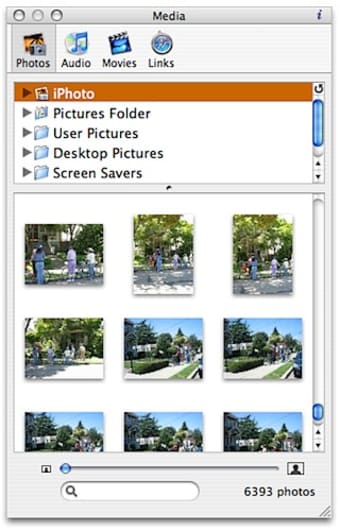
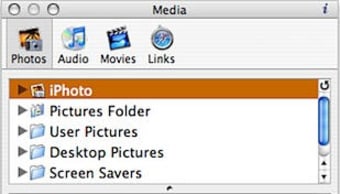
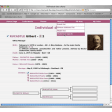
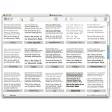
iMedia makes it easier to browse all your media from one simple interface. The application can show your photos, videos, music and bookmarks found in your Mac's folders. The top of the interface shows the different folders, which you can open up via a drop down arrow to reveal subfolders. The main part shows a preview of all files in a folder. We quite like the sliding bar, which allows you to easily zoom in and out of files. You can also drag and drop any file that you wish to see in iMedia Browser.

We found that iMedia cleverly manages to unite all media files under one interface. And yet, we sometimes felt that browsing movies or music in the application was not all intuitive. For some file types it just seems more natural to browse from separate applications like iTunes for music. Because iMedia fits all your media files in one place, it can feel a bit cluttered. However some people will find this much more useful to browse through their files quickly and get preview of what is on their Mac.

All in all, iMedia Browser is a useful program to view all your media files from one place.

Languages:

English

OS requirements for iMedia Browser:

  • OS: Mac OS X
Pros
  • Framework available for developers to add in their apps
  • Browse media from the application
  • Access photos, videos, movies, bookmarks
Cons
  • Interface can feel cluttered
Did you like this review?
3 of 5 users liked it (60%)

Featured program

Softonic gives special recognition to software of exceptionally high quality. More information

From the publisher of iMedia Browser

Do you like the media browser that Apple includes in some of its applications, but wish you could use it from any application? Now you can. Download the free Karelia iMedia Browser and use it whenever and wherever you need to access your library of photos, music, videos, and bookmarks. (Requires Mac OS X 10.4 "Tiger" or 10.5 "Leopard.")

Handy features include:

  • Browse Photos: iPhoto library, Aperture library, Pictures folder, and other predefined folders.
  • Browse Music: iTunes library, GarageBand songs, Music folder, etc.
  • Browse Movies: iTunes and iPhoto libraries, Movies folder, etc.
  • Browse Links: Bookmarks from Safari, Firefox, OmniWeb, etc.
  • Drag and drop any folder into the source list to add to your library.
  • Download plugins such as iDelicious to extend capabilities of the browser.
  • Available from the Dock or the Menu Bar, via application preferences.
  • Flip window over to control toolbar and caption preferences.

Posts about iMedia Browser in our blog

iMedia Browser options

iMedia Browser Options

Reviews for iMedia Browser in other languages

Softonic Rating:Very good
User Rating
Your opinion is important!

Download stats

Are you the developer of iMedia Browser?

If your program has received a Softonic rating, feel free to use the following award badge on your site or as part of any other promotional feature you may be putting together.

iMedia Browser Softonic Rating

Click on the above text field to copy the necessary HTML to your clipboard and then paste it to your website. It will display your program's Softonic Rating and will link to your program page.

Any queries? Contact us if you want more info.

Close